
Tbridge®
Monitor → Optimize → Stabilize: Tbridge® runs this cycle automatically, 24/7.
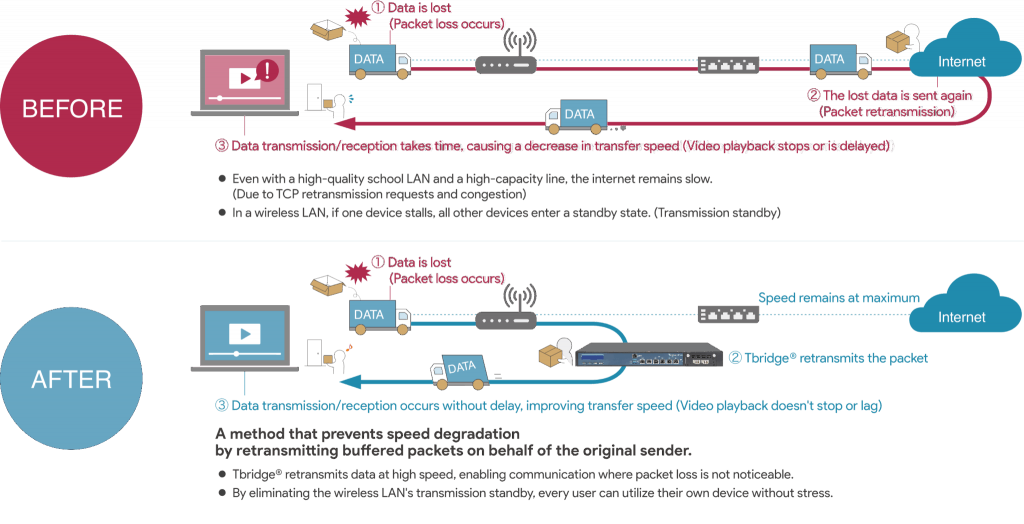
- Traffic control reduces packet loss, retransmissions, and latency… boosting transfer speeds by up to 3.5x.
- This is also effective in environments with multiple terminals and physical obstructions that block Wi-Fi signals.
Operates through a simple bridge connection to the network
- No configuration required—Tbridge® optimizes your network automatically.
- Installing Tbridge® on a network path with slow communication reduces performance issues caused by wireless networks and TCP and improves speed.
- This can be introduced without changing the configuration of the existing network environment or expanding the infrastructure.
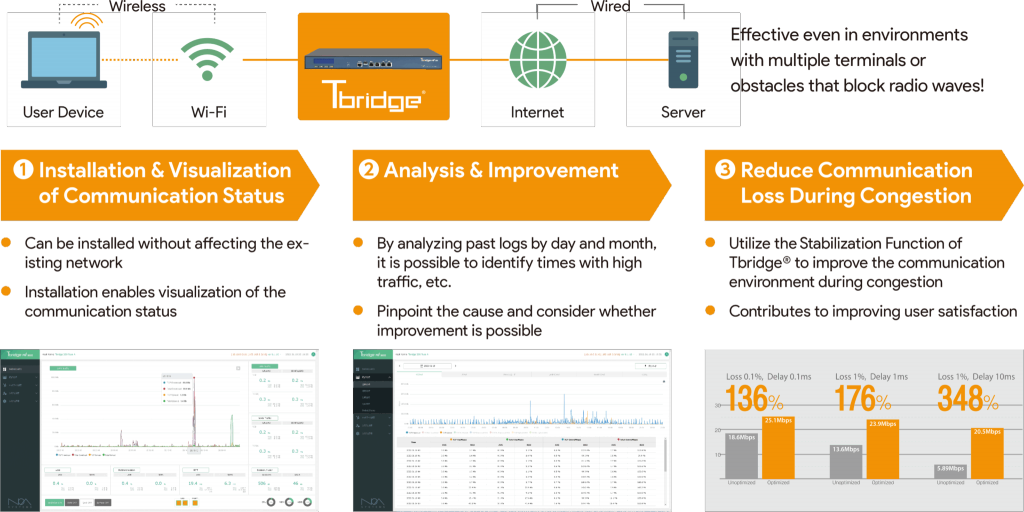
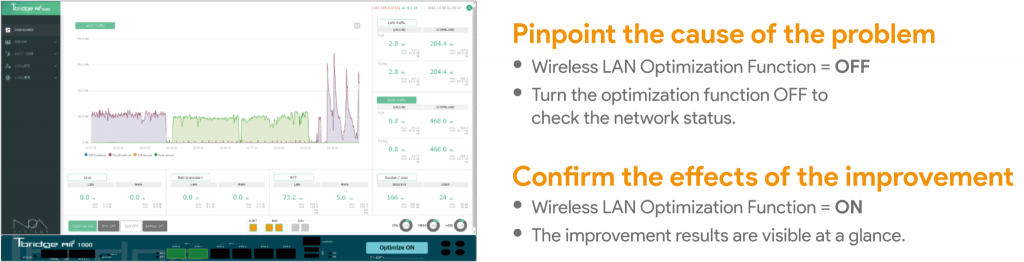
Collects and analyzes communication status 24 hours a day, 365 days a year, and monitors in real time what problems are occurring.
- Toggle optimization on and off to compare results and check for issues, device counts, and traffic volume.
- When there is a problem with the school network, this is effective for immediately grasping the situation and investigating the cause.
Tbridge® simultaneously improves problems with in-school wireless LAN and out-of-school line connections.

① Optimization Function: in-school wireless LAN optimization
- Identifies network issues such as packet loss and congestion.
- Automatically improves problems and speeds up transfer.
- Automatically repeats traffic analysis, improvement, and control to realize stable operation.
② Edge Cache Function: reduction of load on out-of-school connections
- Caches HTTPS content.
- The saved digital content is downloaded within the school, realizing high-speed communication.
- Only new or updated content is retrieved from the internet, the connection efficiency is increased and the load is reduced.
Get in touch
Contact
Contact us for product details, demos, or partnership inquiries.
By Phone
+81-3-6712-9721Contact Form
Contact