
InterCLASS® Console Support
Streamline Google Workspace for Education account management
Streamline by dividing roles between the board of education and school administrators
Delegating authority from district administrators to school administrators (IT support staff and technology teachers) streamlines account management and management for the boards of education and schools. Privileged administrator rights are not required in Google Workspace for Education.
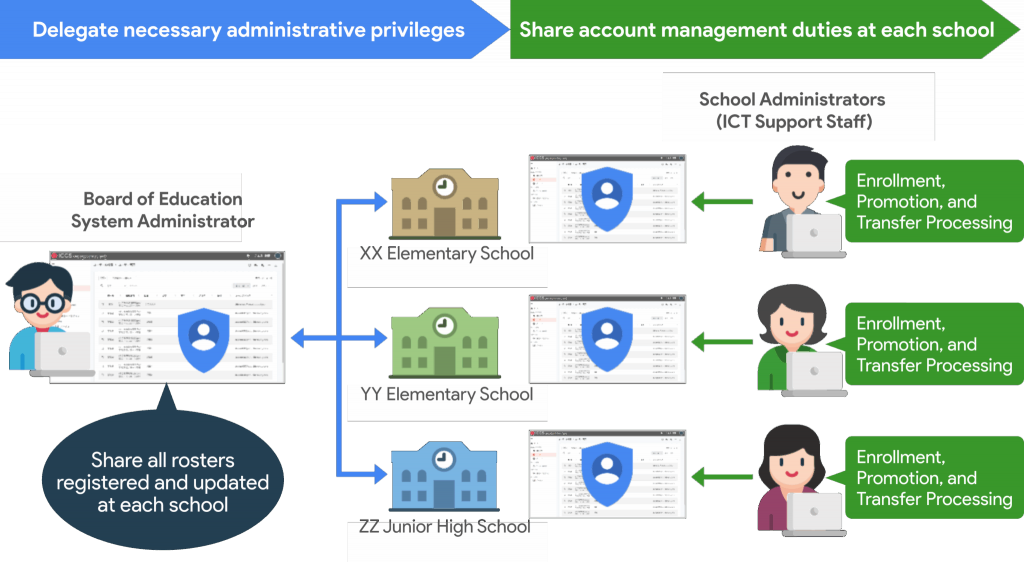
Enable account management tailored to the school environment
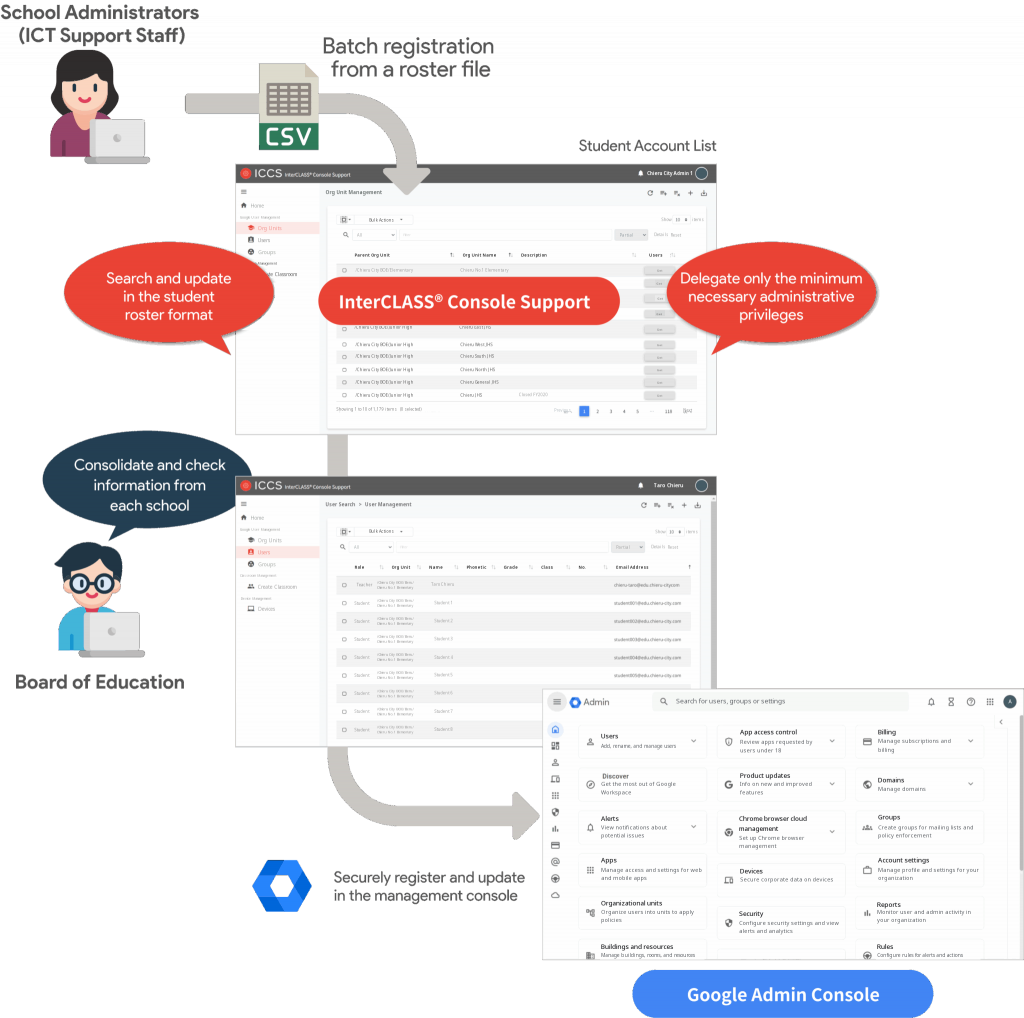
Teachers can perform account management tailored to the school’s roster management. They can register and search for accounts along with information such as grade, class, and student number. Bulk registration is also possible using a CSV format template. Teachers can perform high-speed account updates for enrollment, promotion, transfers, etc. CSV files can also be generated that comply with the standard specifications for digital textbook platforms.
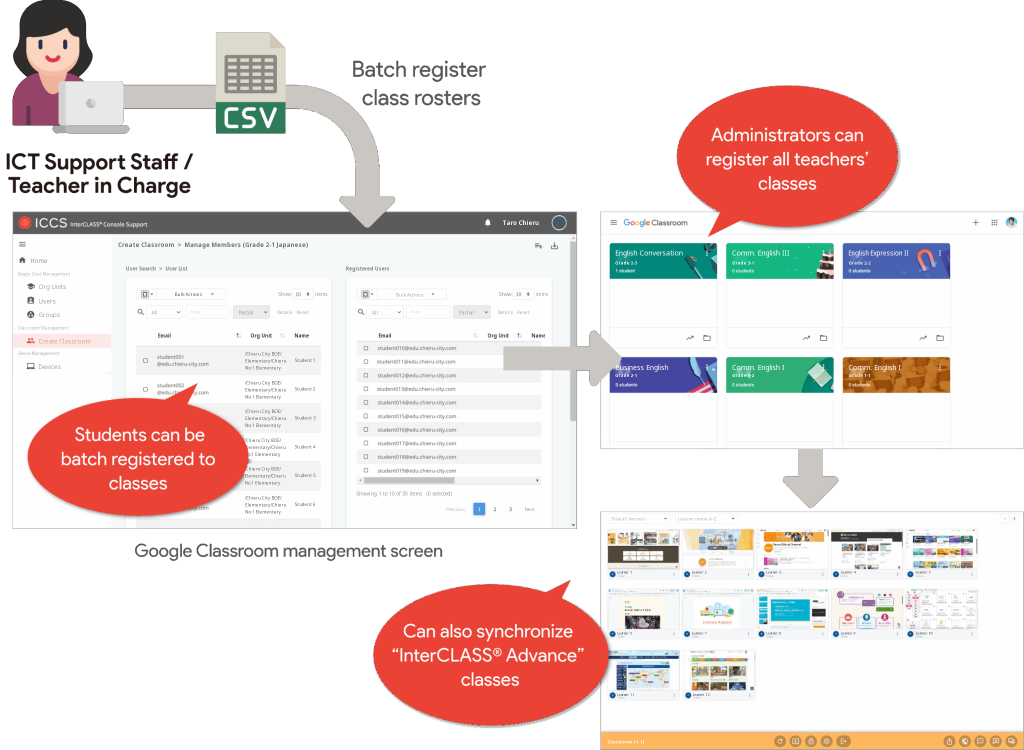
Bulk management of Google Classroom classes
Previously, Google Classroom classes needed to be created by the teacher account of the main teacher, and creating the required number of classes was a burden on teachers. With InterCLASS® Console Support, administrators can create each teacher’s classes in bulk. Moreover, when members are invited via InterCLASS® Console Support, the work associated with approving participation in Google Classroom can be omitted, so all teachers and students can immediately utilize the system in class.
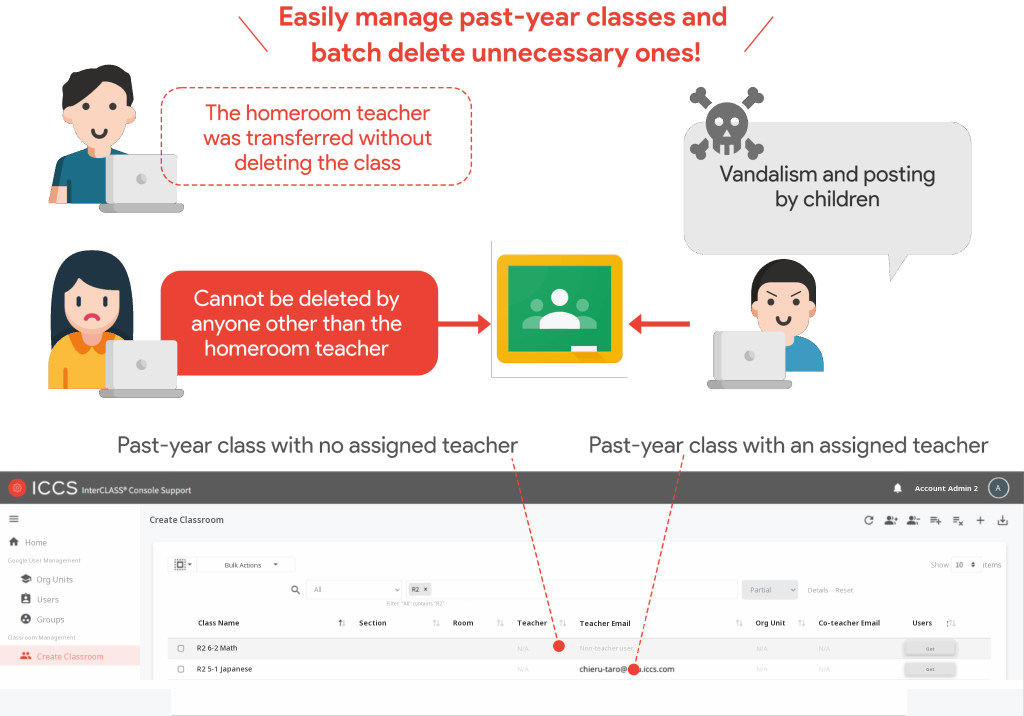
Classes often remain after the lead teacher transfers, making past-year classes hard to manage and open to misuse, such as students posting on the class stream. including the misuse of classes such as students writing on the stream.
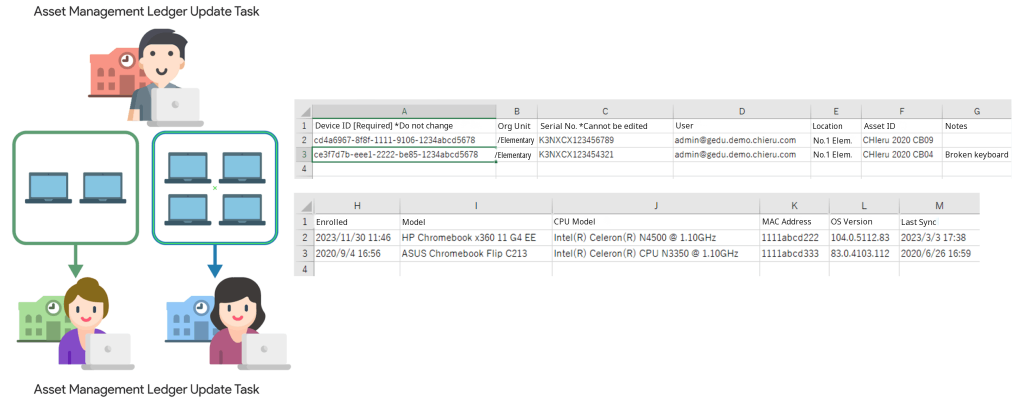
Device Management function to support the creation of asset management ledgers
Teachers can now bulk export the items required to create an asset management ledger in Google Workspace for Education’s device management to a CSV file. Items include “Device registration date,” “Model,” “CPU model name,” “MAC address,” “Asset ID,” “Location,” and “Notes.” By entering the asset management number under “Asset ID,” the school name under “Location,” and repair history under “Notes,” teachers can smoothly proceed with the creation of the asset management ledger. Asset management ledgers are often created and managed by each school, and this reduces the burden of updating when moving devices between schools when yearly renewal is implemented.
Get in touch
Contact
Contact us for product details, demos, or partnership inquiries.
By Phone
+81-3-6712-9721Contact Form
Contact